Dimensioned drawings (PDF, DWG)
- NTR-2140-DRAWING.pdf
- NTR-2140-QUESTIONS.pdf
Native Autodesk® Inventor® models, drawings and machine files, from your prints and CAD files.
Conversions
2D drawings in. 3D .ipt/.iam out.
The Companion
An AI operator inside Inventor, 2023 and up.
Speed, reliability, cost
Faded, with gaps, rebuilt with every number sourced. The desk runs on technology we built.
A change on a model we hold comes back the same day.
Every value marked as stated, worked out or assumed.
A fraction of a drafting house's price. Assemblies are quoted separately. The first part is free.
What we do
Native Inventor parts and assemblies with a real feature tree. Change a number and the part follows.
Dimensioned drawings from the model, with tolerances, threads, finishes and notes. Old drawings redrawn clean, and revised when the part changes.
STEP for CAM, DXF profiles and flat patterns for the laser and the brake.
Design changes on your Inventor model or one we made. The model, drawing and files come back at the new revision.
Machined parts, sheet metal with flat patterns, weldments, frames, and the assemblies they go into.
For engineers who redraw old drawings themselves: every gap marked up with a proposed value, worked out from the mating parts and the other relations in the set.
How the work is checked
The lettering governs, never the picture, and nothing is scaled off the sheet.
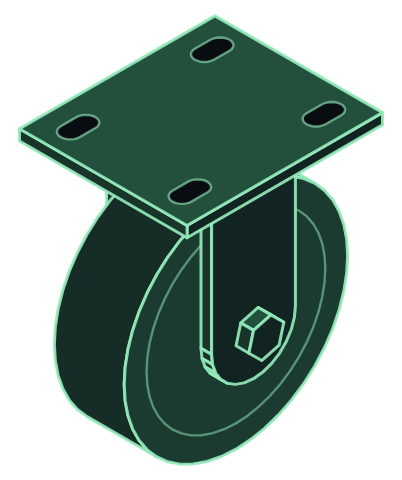
Watch the conversionNTR-2140 caster, rev C. Our own sample part, not a customer's.
| Balloon | On the print | What is missing | What we put in | Please confirm |
|---|---|---|---|---|
| 1 | P2 fork bend | No bend radius. | Inside radius .19, one material thickness. ASSUMED. | Your brake tooling radius? |
| 2 | P1 mounting slots | Four slots drawn, no size. | .41 wide by .75 long for a 3/8 bolt. ASSUMED, not scaled off the picture. | The bolt size for the mount? |
| 3 | P3 wheel bore | Bore not called. | .391, a running clearance on the 3/8 axle. ASSUMED. | Plain bore, or a bearing? |
| 4 | P4 axle | 3/8-16 called, no thread length, no nut. | Thread .75 long, so the wheel runs on the shank and the nut reaches the fork at either width. WORKED OUT. | A lock nut, or a nut and cotter pin? |
| 5 | P2 fork width | 1.88 in the side view, 1.81 in the section. | Flagged, not resolved. 1.88 in the model until you say. | Which one governs? |
Dimensioned drawings (PDF, DWG)
Native Inventor parts and assemblies (.ipt, .iam), parametric
Files for the floor: STEP, IGES, Parasolid, DXF profiles, flat patterns
The company
Autodesk Developer Network member
Start here
For anything else, send what you have and we scope it.
The part that would test us.
Converted, with its question sheet.
Check it against your print, on your own seat or in any viewer.
If it holds, we scope the set, the drawings, the files.
The Companion
An AI operator inside Autodesk® Inventor®. Say what the part needs and it builds real parametric features.
Start from a blank part, or open one mid-design or released years ago. Add the flange, move the holes, cut the slot.
A session per part, building side by side. You review each one and hand-finish where it matters.
A 95% correct part is scrap. A receipt on every change, and it stops and asks when an instruction is ambiguous.
Editable by hand afterward. For sheet metal: flanges, flat patterns, cut-ready DXF.
And the assemblies they go into.
No upgrade first.
The waitlist
We'll write the day trials open.
You'll also get our product news, about once a month.
Book a free live demo on one of your own parts.
Beyond the CAD desk
AI systems built one role at a time, on the tools you already run, each reporting to the person who runs that desk.
The system reads the request, works it up against your rules and history, and drafts the quote for the person who signs it.
The PO becomes an order in your system, lines checked against the quote, anything odd flagged for a person.
The board follows the jobs: what shipped, what is late, what is waiting on material. Nobody retypes it.
AI built into how your people already work, with the training to use it well.
A role that lives on a computer and a phone. Measured before and after.
Scheduling, the front desk, customer service, the back office. We look at what can move to a system, with a person still in charge.
Tell us the job